Implementation guide
Booking-system migration: clients, appointments and a controlled switch
A sound migration does not begin with an import. First define the data scope, owner of each decision, quality criteria and the point at which the customer booking link can safely change.
This guide describes a controlled process. It does not promise that every provider exports every field or that different data models map one-to-one.
Rehearse a small CSV import, check clients and future appointments, and prepare a controlled move to Ariveno.
Reviewed:
Brillnet Piotr Adamski · Ariveno
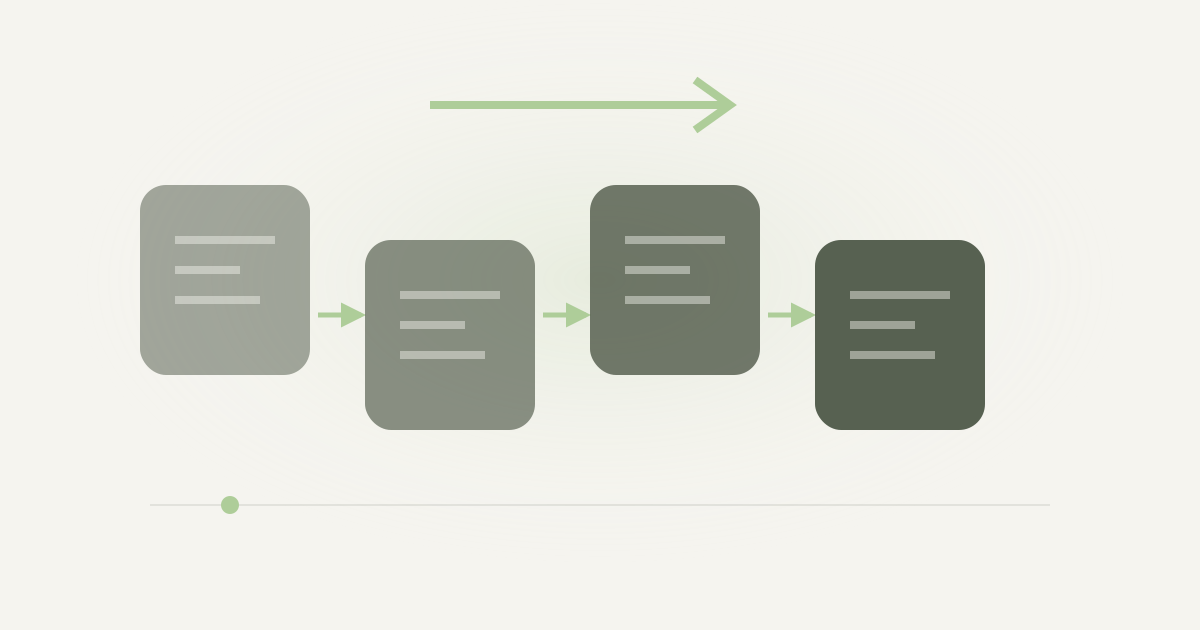
Move booking systems without guessing or losing control.
A sound migration does not begin with an import. First define the data scope, owner of each decision, quality criteria and the point at which the customer booking link can safely change.
1. Start with an inventory, not a CSV file
List where clients, services, staff, resources, future appointments, consents, notes and cancellation rules live today. Assign a business owner and one decision to every dataset: migrate, archive or omit.
Separate data needed for continuing service from history that can remain in a controlled archive. A smaller scope reduces errors, duplicates and unnecessary processing of personal data.
- clients and contact details with a basis for continued use
- services, variants, prices, duration and buffers
- staff, roles, working hours, leave and shared resources
- only future appointments needed after cutover
- booking, cancellation, reminder and consent rules
2. Define mapping and quality rules
Column names are not a contract. Define phone format, time zone, duplicate detection, required values and what happens when a service or team member is unknown.
A dry run should end with a report: rows read, rejected records, duplicates, missing relationships and a sample for manual review. One invalid record must not silently alter the rest of the import.
3. Run a rehearsal and a short parallel period
Configure services, staff and resources first. Then perform a dry-run import without publishing the new link. Sample clients and appointments, including buffers, processing breaks, leave and shared-equipment scenarios.
During the parallel period, name one system as the source of truth for new bookings. Do not let staff enter the same appointments independently in two systems without a reconciliation procedure.
4. Cut over only after explicit criteria pass
Cutover includes the website link, Google Business Profile, social channels, QR codes and reception instructions. Retain the source export, import report and change log, but do not turn a local file into a permanent data store.
The rollback plan must state how to return to the previous booking channel when a critical scenario fails. Rollback cannot depend on staff reconstructing appointments from memory.
Pre-cutover checklist
- Source, valid, rejected and duplicate record counts are reconciled.
- Future appointments retain the correct service, person, time, price and resource.
- Team permissions were tested with accounts holding different roles.
- Booking, rescheduling, cancellation and reminder paths passed a rehearsal.
- The salon has a current export and understands the complete exit path.
- The new link, QR code and customer notice have an owner and publication time.
- A rollback threshold, decision owner and procedure are documented.
Subscription price is not the full cost of a booking system.
Compare the same period, function scope and assumptions. Your model should separate fixed cost, usage cost, internal work and the value of customer acquisition.
1. Choose a horizon and one comparison formula
A twelve-month horizon is practical for a small salon. Total cost is subscription plus usage charges, messages, implementation, internal work, add-ons and expected exit cost. Do not subtract customer-acquisition value without a separate, evidenced assumption.
Working formula: TCO = fixed fees + usage fees + implementation + staff time + add-ons + exit cost. Use net or gross amounts consistently.
3. Price staff time and operational errors
Implementation takes service setup, schedules, permissions, import and training. Multiply actual hours by the full hourly cost of the person doing the work. Add recurring reconciliation time when the system cannot represent shared resources or schedule conflicts.
Base error cost on events that actually occur: double-booked equipment, empty gaps, missed appointments or manual data corrections. Do not enter an arbitrary amount without history or an explicit scenario.
Inputs for your calculation
- Plan price, billing period, location count and active-person limit.
- Appointments subject to commission and the contractual rate.
- Message count by channel and unit price.
- Hours for setup, import, training and monthly administration.
- Integration, payment, device and add-on charges.
- Export cost and contract termination conditions.
- Separately: clients and value genuinely acquired through a marketplace.
A rehearsal with twelve clients and five future appointments
Use a small rehearsal to find out how the new system handles your actual work. The following example is synthetic. It describes a salon with three team members, four services, twelve client records and five future appointments. The numbers are a manageable test size, not a benchmark or a promise about migration speed. Replace the fictional records with your own test records before deciding whether the process fits your salon.
Give the migration one owner. That person maintains the original export, the working copy, the list of changes and the decision about when to switch booking links. Other people can help check records, but they should not independently change the same file. When two people correct different copies, a technically successful import can still produce a calendar nobody trusts.
Start by downloading the CSV templates available for the operation you want to perform. Ariveno describes CSV import for clients, services, team members and future appointments, with mapping, duplicate checks and validation before saving. Use the current template as the format contract. A file exported by another supplier will not necessarily use the same columns, identifiers, date conventions or relationship model. Changing the filename does not convert the data.
In the rehearsal, include two clients with similar names and one repeated telephone number. Also include a service whose old name differs from the new service name. These records reveal how you will identify duplicates and map relationships. Use addresses and telephone numbers that you control if you need to test messages. A fictional client must not accidentally receive a real reminder.
Separate cleaning from saving
Keep the original export unchanged and work on a copy. Write down each correction: a missing country prefix, an unnecessary space, an old service label, an appointment assigned to an inactive team member. This short change list lets another person understand how the imported data differs from the source. It also helps you distinguish a source problem from an import problem.
Do not merge people based only on a surname. Two family members can share a number, and one person can have two contact addresses. Decide which attributes you will use and how ambiguous matches will be reviewed. If you cannot resolve a match, keep it for manual review. A smaller accepted set is easier to trust than a larger set containing silent mistakes.
Treat notes separately. Appointment instructions, contact preferences, marketing permissions and sensitive information have different purposes. Importing a contact does not create permission to send advertising. Do not bring medical information or treatment contraindications into a general booking record just because the old export contains them. Check the purpose and lawful basis of each field. The GDPR and EDPB guidance explain the responsibilities of controllers and processors; your salon remains responsible for deciding what it needs to process.
Build the calendar before importing appointments
Create the service definitions first. For the rehearsal, use a short haircut, a haircut with styling, a colour appointment and a consultation. Enter durations and the preparation or cleanup time your salon really requires. Then configure the team and the resources used by those services. If a colour service uses a shared chair or device, that dependency belongs in the configuration before you test its appointments.
Next, check working hours, approved absences and the published schedule. An appointment that looks correct in a spreadsheet can conflict with the staff member's availability in the new system. Verify the time zone and date format explicitly. A file containing 10/11 does not tell you, without a format agreement, whether the intended date is in October or November.
Include one appointment near closing time and one on a day when the assigned person is absent. These are deliberate negative examples. The rehearsal should make the conflict visible so you can correct the record or schedule. Do not change opening hours merely to make the file pass. The configuration must represent the way the salon will actually work after migration.
Read the preview and account for every row
Inspect the mapping and validation result before accepting the import. Compare the input count with the records accepted, rejected or identified as duplicates. Do not assume that twelve rows mean twelve new clients. Some rows may update an existing record or require a decision. Record what happened to each exception, then correct the working file or resolve it through the supported operation.
Open selected records after saving. Check a normal client, the ambiguous duplicate and the appointment with a changed service label. Compare the appointment date, start time, assigned person and service duration with the source. Then check the calendar view. A record can contain the right text and still appear at the wrong time or with the wrong relationship.
If you retry a corrected file, first check what the previous attempt already saved. Do not assume that every import operation handles retries identically. Use the preview and current records to avoid creating duplicates. Keep a record of the file and scope used for each attempt, so your team can explain which data was accepted and which still needs work.
Test the booking journey on records you control
Before publishing a new booking link, walk through the client journey. Select a service and a suitable team member, choose an available time, provide a contact channel you control and review the salon's booking rules. Check whether the appointment is confirmed automatically or requires the salon's approval under your chosen settings. Then use the management link to inspect the supported change or cancellation process.
Test a normal appointment and a difficult one. The difficult case can combine a long service, an absence and a shared resource. Your goal is to see whether availability reflects the configured constraints. Use the public preview or a dedicated test setup before inviting real clients. The example in this article is a procedure to reproduce, not a claim that a migration of your records has already been performed.
Email reminders are part of Ariveno's described offer. Optional SMS uses the salon's own SMSAPI account and is charged separately. Check the configured channel and destination before enabling a test. A successful calendar entry does not prove that the reminder reached the recipient. Confirm receipt on the contact channel you control and record any missing step.
Choose one place for new bookings during the change
A short comparison period can be useful, but two independently editable calendars create a new problem. Decide which system is the source for new bookings. If the old system remains open, define who copies each new appointment and how the calendars will be reconciled. Avoid telling the whole team to keep both up to date without assigning responsibility. That instruction sounds simple and fails precisely when the salon is busy.
Choose a switch time when the owner and a person who can check appointments are available. Update the website, social profile and Google Business Profile booking link in a planned sequence. Replace printed QR codes only after scanning the new code on a phone. Keep a list of the places where the old address appeared; otherwise clients will continue entering through a forgotten link.
Tell existing clients how to manage appointments made before the change. Do not promise that old confirmation links will suddenly work in the new system. Keep access to the old records for the period justified by your business and legal needs, then apply the agreed retention rules. Migration is complete when the team can operate the new process and explain the remaining exceptions.
Define the return path before you need it
Write down what would stop the switch: incorrect appointment times, unresolved duplicate identities, missing resource checks or an unusable client management link. Name the person who can decide to restore the old booking channel. Also define how appointments accepted in the new system will be reconciled if you return. Restoring a link without accounting for those appointments can lose the very bookings you meant to protect.
Preserve the source export securely while the rehearsal and reconciliation are in progress. Limit access to the people doing the migration. Do not send the complete client list in an ordinary support message. A supplier can often investigate a format problem using a synthetic row and the error description. Remove unnecessary working copies once their purpose is finished.
Start with what must survive the change
List every source before exporting anything: the current booking platform, a paper diary, telephone bookings, contact spreadsheets and future appointments written in messages. Give each a named owner. Separate client records from appointments, services, staff availability and consent records. An export of contacts does not automatically contain future bookings. Record what exists, what is missing and which information you genuinely need to transfer. The GDPR requires accuracy and minimisation, so moving every old note simply because it is available is not a sound default. [1]
Map meaning before mapping columns
Create a small mapping table with the old field, its meaning, the new field and a transformation rule. A field called “date” might be a creation date rather than the appointment date. Telephone numbers need country prefixes; names must retain accents. Check whether start and end times are stored locally or with a timezone. Include cancelled appointments, duplicated clients, an appointment crossing a daylight-saving change and two clients sharing a household contact. Never treat a telephone number as conclusive proof that two records belong to the same person.
Test a representative sample
Use a copy, preserve the original export and restrict access. Begin with a small sample containing ordinary records and known exceptions. Compare record counts, but also open individual appointments and confirm service, team member, duration and client link. Ten correct rows cannot establish that a whole file is correct when the remaining rows use different formats. Ariveno's current product materials describe CSV import with preview, column mapping and duplicate checks; still verify which record types your actual export can supply. Do not assume the import recreates every setting or historical event.
Protect the future calendar first
Future bookings deserve their own reconciliation. Produce a list ordered by appointment date and compare both systems against it. Include staff absence, blocked periods and room or chair requirements. A copied appointment at the right time can still be wrong if its resource is unavailable. Assign unresolved items to a person and clear them before opening the new public link. Do not message clients about a change of provider until you know whether their actual time, location or cancellation route is changing. A routine administrative notice should remain distinct from a marketing campaign. [2]
Use a freeze and a defined fallback
Choose a changeover window with limited demand, announce who can enter bookings during it and record every new request in one controlled place. Take a final export and reconcile changes made since the rehearsal. Keep the old booking channel closed once the new calendar becomes authoritative. If validation fails, reopen the known working process and transfer the intervening changes back deliberately. A rollback needs a decision maker, a trigger and a record of appointments created during the window. Merely keeping the old account alive does not prevent two calendars from disagreeing.
Close the migration with evidence
Ask a staff member who did not prepare the files to check a sample of upcoming appointments and retrieve one exported record. Confirm cancellation and rescheduling links through a controlled test booking. Document outstanding limitations, especially any history that remains only in the old system. Check the old supplier's retention, export access and contract termination dates before cancelling. Where a supplier processes client data for the salon, its processing agreement and duties matter during exit as well as onboarding. Review the relationship and deletion arrangements rather than assuming subscription cancellation removes every copy immediately. [3] [1]
Write an exception register that somebody can clear
Give each unresolved record a short identifier, the source file, the problem and the person who decides what happens. Useful categories include missing service, unknown employee, ambiguous client match, invalid contact route and appointment outside the expected opening period. Do not hide these cases by forcing them into a generic service. A client expecting a long colour appointment is poorly served by an apparently valid short booking. The register should state whether the record is corrected, deliberately excluded or retained only in the old archive. Record the reason for exclusions so that absence from the new calendar cannot later be mistaken for successful transfer.
For a hypothetical salon with two reception staff, one person can prepare the mapping while the other checks the exception register against a dated future-appointment list. That division is an editorial proposal, not a claim about staffing requirements. Put the most imminent visits first. A formatting defect in a historical contact may be less urgent than a wrong employee assignment tomorrow morning. Review both, but do not let a large archive consume the time reserved for safeguarding future appointments.
Check identities without inventing certainty
Use several permitted attributes where necessary to assess duplicates, and ask an authorised person to review uncertain matches. Keep a record of merges that affect future appointments. If a customer uses two email addresses, a simple uniqueness rule may leave two profiles; if a family shares one telephone, the opposite rule may combine separate people. Both errors matter. Compare the relationships between customers and appointments, not merely the total customer count. A count can remain unchanged while the wrong client is attached to a visit.
Check whether the export preserves service identifiers or only service names. Renamed services can make a name-based match unreliable, especially when two variants have similar labels. Map unavailable staff to an explicit exception rather than silently assigning the owner. Where a note must remain for a lawful operational purpose, review it before copying, remove irrelevant sensitive information and preserve only the meaning needed. Individual portability rights do not create a blanket right for a salon to import every historical or derived record; supplier export scope and lawful processing still need assessment. [4]
Practise the communication boundary
Prepare two separate messages. The first tells staff when the old calendar stops accepting changes, where incoming requests go and whom to contact about an exception. The second informs clients only where the change affects their actual appointment or booking route. Test both with a colleague who did not plan the migration. Ask them to explain the action they would take. If they cannot identify the controlling calendar or the correct cancellation route, rewrite the instruction before changeover.
For a client whose time and place remain unchanged, avoid wording that suggests cancellation or a requirement to rebook. A client asked to rebook can create a duplicate appointment even when the data transfer was correct. Where a secure change link is replaced, verify the new link against a controlled booking and explain which previous link should no longer be used. Keep promotional material out of a message whose stated purpose is to preserve an agreed visit. [2]
Define the acceptance record and the archive owner
The final record should identify the source export date, migration date, mapping version, future bookings checked, remaining exceptions and rollback decision. Store it where the authorised team can retrieve it without distributing client data unnecessarily. Set a review for the old archive, including who may consult it and when access ends. Keep a usable export before contractual access closes. If a future appointment is disputed, this record should let reception trace its origin rather than guess which version was correct.
For covered EU services, the Data Act framework addresses switching between data-processing services, including relevant software services. Its scope and the actual contract need checking, and switching charges are not the same as the salon's own training or migration work. Do not assume switching is already universally free in October 2026 or that the rules provide an automatic perfect import. Treat the supplier's documented export process as evidence and test the result yourself. [5]
What a useful trial result looks like
Finish with a calendar your team has checked, an exception list with no unexplained rows and a booking journey that works on contact details you control. Record the actual time spent on cleaning, configuration and checking. Compare that effort with the value of the new process using your own figures. A trial cannot guarantee that a later full migration will be painless, but it can expose the tasks and limitations before you commit.
Ariveno offers a 14-day trial requiring a payment card. The subscription renews automatically unless you cancel before the trial ends under the published terms; optional SMS is separate. Check the current price for your country and location before confirming registration. Start with the small rehearsal described here. Move a larger dataset only after you can explain the result of the small one.

Sources
Sources support the cited facts. Procedures, examples and calculations are editorial proposals; legal scope depends on the country.
- Regulation (EU) 2016/679 — General Data Protection RegulationEuropean Union / EUR-Lex
- Process personal data lawfully — Data protection guide for small businessEuropean Data Protection Board
- Data controller or data processor — Data protection guide for small businessEuropean Data Protection Board
- Respect individuals’ rights — Data protection guide for small businessEuropean Data Protection Board
- Data Act explained — Chapter VI: Switching between data processing servicesEuropean Commission DG CONNECT
- Migration and data export
- Pricing and plan scope
- Data processing agreement
- Privacy notice
- GDPR — Regulation (EU) 2016/679Personal-data principles, security, rights and processor relationships
- Ariveno — migration guideCSV migration and verification
- Ariveno — product scope and trialImport, export, booking and trial conditions
- Published product scope and trial termsPublished product scope and trial terms
Operational gate
Pre-cutover checklist
Have the named process owner accept every item.
- Source, valid, rejected and duplicate record counts are reconciled.
- Future appointments retain the correct service, person, time, price and resource.
- Team permissions were tested with accounts holding different roles.
- Booking, rescheduling, cancellation and reminder paths passed a rehearsal.
- The salon has a current export and understands the complete exit path.
- The new link, QR code and customer notice have an owner and publication time.
- A rollback threshold, decision owner and procedure are documented.
Auditability
Minimum migration evidence log
You do not need a heavy project system. You need repeatable evidence that reconstructs the decision.
| Evidence | Owner | Control point |
|---|---|---|
| Source export and checksum | Salon owner | Before rehearsal and cutover |
| Mapping, rejection and duplicate report | Migration lead | After every import |
| Verified sample of clients and appointments | Reception or manager | Before acceptance |
| Critical-path test list | Salon manager | Before link publication |
| GO or ROLLBACK decision | Process owner | At cutover |
Rehearse before cutover
Configure and validate the mapping before publication.
Ariveno lets you prepare services, staff, resources and a preview before sharing the new booking channel with customers.
14 days without a subscription fee. Card required. Choose your country to see the subscription price. The subscription renews automatically unless you cancel before the trial ends. Optional SMS is paid separately. Full pricing and terms